
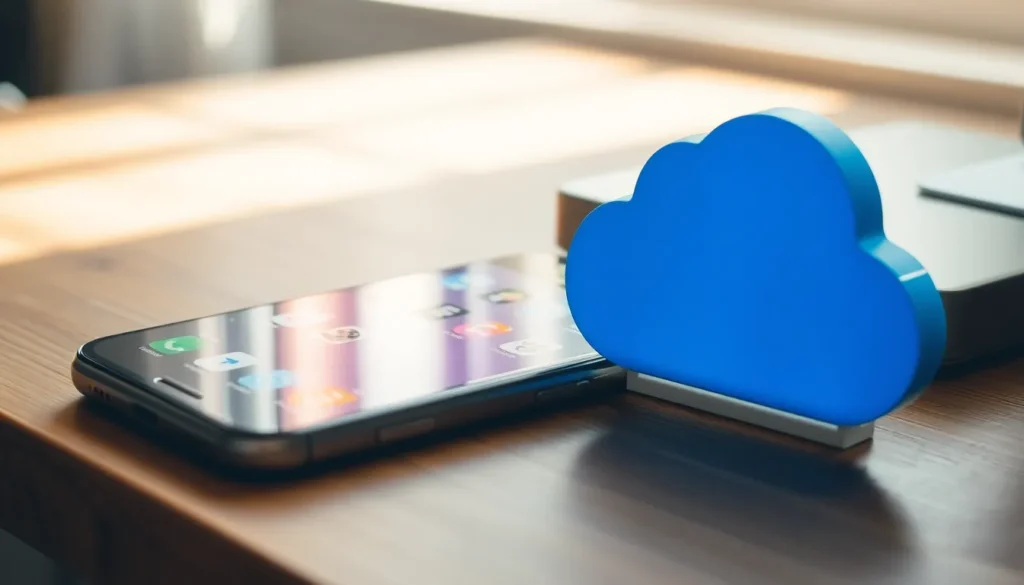
When it comes to storing all those selfies, cat videos, and that one podcast episode you swear you’ll listen to, confusion often reigns supreme. Is iPhone storage different from iCloud storage? Spoiler alert: Yes, yes it is! Imagine your iPhone as a cozy little apartment where you keep your favorite things, while iCloud is more like a vast cloud-filled storage unit in the sky, ready to hold everything you might need later.
Understanding iPhone Storage
iPhone storage is essential for managing data and applications directly on the device. Users benefit from understanding its different types and functionalities.
Types of Storage on iPhone
iPhone storage includes internal storage varieties. Options range from 64GB to 1TB, depending on the model. Each device offers a fixed amount of storage, which cannot be expanded with external memory. Types of storage utilize flash memory, ensuring fast read and write speeds. Storage contains system files, applications, and media like photos and videos, providing a coherent environment for seamless device functionality. Understanding storage types assists users in selecting models based on their data needs.
How iPhone Storage Works
iPhone storage operates with a file management system. System files and user data utilize this system to organize and retrieve information efficiently. Users can access storage settings to monitor space usage and manage files effectively. Applications installed on iPhone directly utilize local storage, impacting overall performance. Background processes also affect storage consumption, leading to potential slowdowns if not managed. Regularly deleting unnecessary files and applications ensures optimal performance and maximizes available space for critical data.
Understanding iCloud Storage
iCloud storage allows users to save and access data securely in the cloud. This service seamlessly integrates with various Apple devices for effortless data management.
Types of iCloud Storage Plans
iCloud offers several storage plan options to accommodate different needs. Users can choose from 5GB of free storage, a 50GB plan for $0.99 per month, a 200GB plan for $2.99 per month, and a 2TB plan for $9.99 per month. Each plan provides room for files, images, backups, and app data, ensuring ample space for essential content.
How iCloud Storage Works
iCloud storage operates by syncing data across devices via the internet. Users upload files directly to iCloud, making them accessible from any Apple device with the same Apple ID. Automatic backups occur regularly, protecting important information from loss. This system facilitates easy sharing with others and supports collaborative projects, enhancing productivity.
Comparing iPhone Storage and iCloud Storage
iPhone storage and iCloud storage serve different purposes in data management. Understanding their distinctions ensures effective optimization for users.
Key Differences
iPhone storage refers to the internal memory available for apps and files directly on the device. Capacities range from 64GB to 1TB, which cannot be expanded, making it essential for device functionality. In contrast, iCloud storage offers scalability through plans of 5GB, 50GB, 200GB, and 2TB. iCloud syncs data across devices via the internet, enabling seamless access. Performance varies as iPhone storage uses flash memory for speed, while iCloud depends on internet connectivity for access and retrieval.
Use Cases
iPhone storage is ideal for apps, photos, and offline files users access frequently. Managing storage directly on the device allows users quick access without relying on an internet connection. iCloud storage excels for backing up important data and sharing large files across Apple devices. Utilizing iCloud enables users to free up space on their iPhones while keeping essential files safe and accessible from anywhere, providing versatility for various user needs.
Benefits of Each Storage Type
Understanding the benefits of iPhone storage and iCloud storage helps users choose the right solution for their needs.
Advantages of iPhone Storage
iPhone storage offers quick access to apps and files. It supports seamless performance, allowing users to open applications instantly. Essential apps and frequently used content reside directly on the device, ensuring offline access. Users benefit from lower latency, enhancing overall device responsiveness. Limited by fixed capacity, options range from 64GB to 1TB, catering to various needs. Managing storage effectively helps maintain device performance and frees resources for essential tasks. Regular maintenance, such as deleting unnecessary data, optimizes the internal space further.
Advantages of iCloud Storage
Scalability defines iCloud storage, providing users with flexible options to meet growing demands. Users can choose plans ranging from a free 5GB to 2TB, allowing for expansion as content increases. Accessing data from any Apple device connected to the same Apple ID simplifies file management. Automatic backups secure important information, reducing the risk of data loss. Seamless sharing and collaboration improve productivity, enabling users to work together effectively. Additionally, iCloud storage doesn’t consume local storage space, freeing up device memory for critical applications and files.
Understanding the differences between iPhone storage and iCloud storage is crucial for effective data management. Each serves a unique purpose that caters to different needs. iPhone storage is essential for immediate access to apps and files directly on the device while iCloud storage offers flexibility and scalability for backing up and sharing data.
By leveraging both storage types, users can optimize their experience. Regular maintenance of iPhone storage ensures smooth performance while utilizing iCloud can alleviate space constraints. With the right approach, users can enjoy the best of both worlds, enhancing productivity and ensuring their data is secure and accessible.